Why You Should Try SlidesAI — AI-Powered Presentations in Minutes
Let’s face it — building slide decks from scratch takes time. Whether you're a student rushing to meet a deadline, a teacher preparing a lecture, or a professional assembling a pitch, formatting slides, picking images, and aligning style can feel tedious. That’s where SlidesAI comes in: a clever AI-powered tool that transforms your idea — or even just a block of text — into a full presentation in minutes.
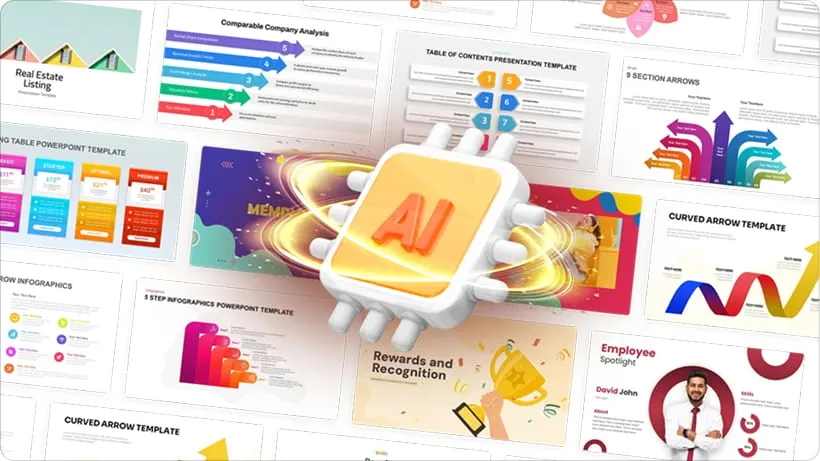
With a simple installation into Google Slides, SlidesAI lets you skip the manual formatting. Just paste your content (or a link), pick a style, and hit generate — the AI does the heavy lifting: crafting slide-by-slide layout, inserting images/graphics, and even choosing fonts and colors. For many users, that means cutting slides creation time by up to 10×.
Key Features That Make SlidesAI Valuable
- Text-to-Slides Conversion: Whether you have a full draft, bullet points, or just a topic — SlidesAI can generate a slide deck automatically.
- Built-in Themes and Customizable Styles: Pre-built color palettes, font sets and layout themes help you produce consistent, polished slides. You can also customize themes to match your brand or personal style.
- Rich Visual Assets: The platform offers access to a large image library (stock & AI-generated images), icons, and built-in design tools — so you don’t need design experience.
- Flexibility in Input Types: SlidesAI accepts raw text, documents, links, even URLs or YouTube links — making it versatile for many scenarios.
- Quick Edits & Refinement Tools: After generation, you can fine-tune slides: adjust layouts, paraphrase text, swap images — giving control without full manual rebuilds.
Pros & Cons: What Works — and What to Watch Out For
✅ Pros
- Massive time-saver: SlidesAI streamlines slide creation drastically, ideal for anyone with frequent presentation needs.
- Easy for non-designers: No need for design skills — the AI handles layout, images, and styling.
- Free tier available: Great for casual users — you can try its core features without cost.
- Multilingual & Broad Compatibility: Works for users across languages, and supports both Google Slides and PowerPoint (depending on version).
⚠️ Cons / Limitations
- Visuals may feel generic: Because it's AI-driven with template reliance, some slides may look “cookie-cutter,” lacking creative flair or a unique brand touch.
- Limited customization for advanced users: For those needing precise layout control, pixel-perfect design, or heavy branding, SlidesAI might feel restrictive.
- Quality depends on input: Poorly structured text or vague prompts often result in bland or awkward slides — giving better input yields better output.
- Feature limitations on free plan: The free tier allows only limited presentations per month; more frequent or heavy use may require upgrading.
Who Should (and Should Not) Use SlidesAI
Good Fit For:
- Students — Needing quick, decent-looking presentations for assignments or group projects.
- Teachers / Educators — Preparing lesson plans or lecture slides with minimal design hassle.
- Professionals / Freelancers — Pitch decks, internal reports, or client presentations where speed matters more than perfect design polish.
- Small Teams & Startups — When time and resources are limited but presentations are frequent, SlidesAI can streamline workflows.
Maybe Not Ideal For:
- Designers or creatives who require full control over layout, visuals, and branding.
- Projects demanding ultra-polished, unique, brand-consistent presentations.
- Users requiring offline access or working in environments with no internet (since SlidesAI works online).
Best Practices: How to Get the Most Out of SlidesAI
- Use well-structured text or outlines as input — the clearer your input, the better the slide output.
- Treat SlidesAI as a first draft generator: generate slides quickly, then refine manually (adjust wording, swap images, align styles).
- Choose appropriate themes and color palettes based on your audience: business, educational, casual — to align tone correctly.
- Combine SlidesAI with other tools (e.g. separate image or branding tools) if you need higher design customisation or branding coherence.
Final Verdict: A Great Time-Saver — With Some Tradeoffs
SlidesAI isn’t a perfect replacement for a professional designer — but it doesn’t aim to be. What it does brilliantly is turn paragraphs into slides in minutes, offering a fast, easy way to generate decent-looking presentations with minimal effort.
For students, educators, small teams, or anyone who values speed over bespoke design, SlidesAI is a compelling tool. If you’re chasing perfection, complex branding, or highly customized layouts, you may still prefer manual design — but SlidesAI remains a powerful first step and a major time-saver.
Whether you’re preparing a class lecture, a business pitch, or a casual project report — SlidesAI deserves a spot in your toolbox.